
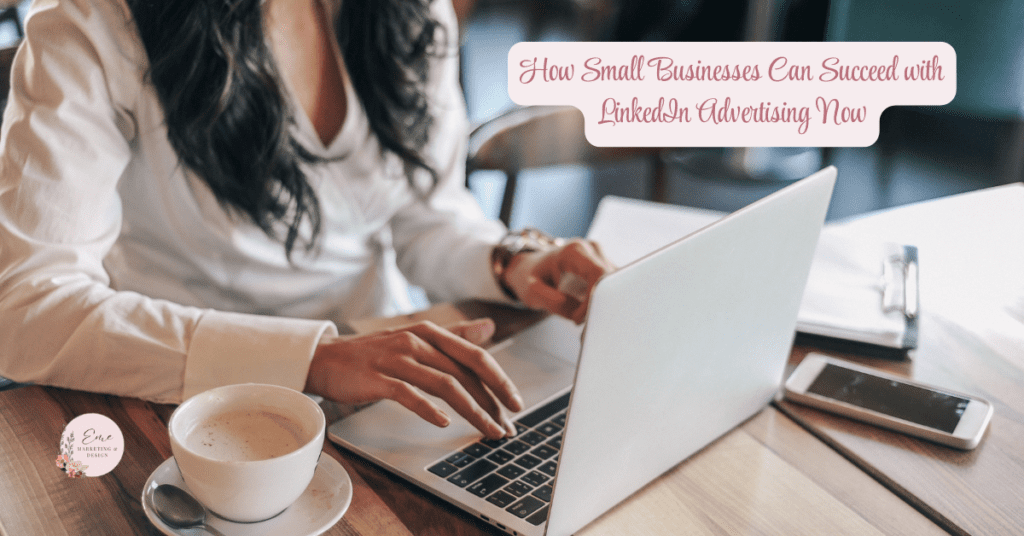
LinkedIn might just be your advertising goldmine if your business caters to other businesses or professionals. While Facebook and Instagram often steal the spotlight in social media marketing, LinkedIn is quietly (and effectively) building a powerhouse platform for business-to-business (B2B) connections, thought leadership, and—yes—paid advertising.
In this beginner’s guide, we’ll cover everything small business owners need to know about advertising on LinkedIn. From choosing the right ad format to targeting your dream audience and measuring your results, consider this your step-by-step playbook.
Why LinkedIn Advertising Is Worth It for Small Businesses
Let’s start with the obvious question: Why should you spend your precious ad dollars on LinkedIn?
Here’s why LinkedIn shines, especially for small businesses with a B2B focus:
- Highly Targeted Professional Audience: You can target users based on job title, company size, industry, seniority, skills, and even LinkedIn group memberships.
- Business-Focused Environment: Unlike other platforms, people come to LinkedIn to learn, network, and grow professionally. That makes them more receptive to business solutions.
- Better Quality Leads: Many small business owners report higher lead quality from LinkedIn compared to other platforms—even if the cost per click is higher.
- Credibility Boost: A well-run ad on LinkedIn feels more credible in the eyes of your target audience.
Step 1: Set Up Your LinkedIn Campaign Manager
Before you can start advertising, you’ll need a LinkedIn Page for your business and access to LinkedIn Campaign Manager, the ad platform where all the magic happens.
- Go to Campaign Manager
- Choose or create your LinkedIn business page
- Set up your ad account (billing, currency, etc.)
Once that’s done, you’re ready to build your first campaign.
Step 2: Choose the Right Campaign Objective
LinkedIn offers three main objective categories, much like other platforms:
1. Awareness
- Brand awareness
Use this to boost visibility or introduce your business to new audiences.
2. Consideration
- Website visits
- Engagement
- Video views
Perfect if you’re trying to drive traffic or generate engagement with content.
3. Conversions
- Lead generation
- Website conversions
- Job applicants
Use this if you want users to take a specific action, like downloading an ebook or filling out a lead form.
👉 Tip: If you’re just starting, test a website visits or lead generation campaign first. Measuring performance with clear metrics like clicks or form fills is easier.
Step 3: Know Your Ad Format Options
LinkedIn offers several ad formats. Here’s a breakdown so you don’t get stuck in analysis paralysis:
1. Sponsored Content
This is a native ad that appears in your target audience’s feed. It looks like a regular post—just with a little “Sponsored” tag. It is perfect for blogs, announcements, videos, or product spotlights.
2. Sponsored Messaging (Message Ads)
Delivers a personalized message directly to someone’s LinkedIn inbox. Great for event invitations, lead magnets, or promotional offers. Be careful not to be too salesy—triggering eye rolls here is easy.
3. Dynamic Ads
These personalized ads pull a user’s LinkedIn profile picture and name. Think of them as flashy billboards that say, “Hey [First Name], check this out!”
4. Text Ads
Simple PPC-style ads appear in the sidebar. They’re cheaper but also less flashy.
5. Video Ads
Use these to tell your story, share testimonials, or demonstrate how your product works compellingly.
👉 Tip: If you’re new, start with Sponsored Content—the most beginner-friendly and familiar format.
Step 4: Define Your Target Audience
This is where LinkedIn really struts its stuff. You can hyper-target based on:
- Location
- Company (name, size, industry)
- Job title
- Job function
- Seniority level
- Skills
- Education
- Groups they’re in
- Interests and traits
If you already know who your ideal client is (go you!), plug in those traits. If not, start broad and refine over time.
👉 Pro Tip: Avoid hyper-narrow targeting right away. Keep your audience at 50,000+ members for Sponsored Content to let the algorithm optimize effectively.
Step 5: Set Your Budget (Without Panicking)
Yes, LinkedIn is pricier than Facebook or Instagram. But don’t let that scare you off—it’s more about lead quality than quantity.
You can choose between:
- Daily Budget – The average amount you want to spend per day.
- Lifetime Budget – The total you want to spend over the campaign’s duration.
- Bid Type – Automated vs. manual. For beginners, stick with automated bidding to let LinkedIn optimize for your objective.
👉 Expect to spend $5 to $9 per click or $30+ per 1000 impressions. But the leads? Mmm. Chef’s kiss.
Step 6: Create Compelling Ad Copy and Creative
Okay, now let’s make sure your ad actually gets clicks.
Here’s your cheat sheet for winning ad copy:
- Headline: Clear, benefit-driven, and intriguing
Example: “Grow Your B2B Leads with Zero Cold Calls” - Text: Keep it short, value-focused, and scannable
Example: “Download our free guide to learn how to attract quality leads through content marketing—without spending all day on LinkedIn.” - Image or Video: When possible, use bright colors, bold text, and smiling faces. Avoid stock-photo snoozefests.
- CTA Button: Choose the right call-to-action for your objective (e.g., Learn More, Sign Up, Download)
👉 Hot Tip: Always preview your ad on desktop and mobile before launching. What looks good on one might look like a jumbled mess on the other.
Step 7: Launch, Monitor, and Optimize
Once your campaign is live, don’t set it and forget it. Even if LinkedIn says it’s “learning,” babysitting the numbers is still your job.
Key metrics to track:
- CTR (Click-Through Rate) – Aim for 0.4% or higher
- CPC (Cost Per Click) – Try to stay under $9
- Leads – Check lead form submissions or conversions from your site
- Frequency – Watch how often people are seeing your ads to avoid burnout
What to tweak:
- Ad creative not performing? Test a new image or hook.
- Low CTR? Tighten your copy and make your CTA stronger.
- Not enough impressions? Increase your bid or widen your audience slightly.
Step 8: Retarget and Re-Engage
Want to get extra mileage from your ad spend? Say hello to retargeting.
LinkedIn lets you re-engage people who:
- Visited your website
- Watched your videos
- Opened or clicked on your message ads
- Engaged with your lead gen forms
Just add the LinkedIn Insight Tag to your website (like a little spy that only reports good things), and you can build audiences based on site behavior.
Bonus Tips for Small Business Success on LinkedIn Ads
- Use Lead Gen Forms
These keep users on LinkedIn while collecting info—perfect for boosting conversions without requiring a website. - A/B Test Like a Pro
Always test at least two versions of your ad. Tiny tweaks can lead to big gains. - Offer Something Valuable
A checklist, whitepaper, webinar, or even a free consult works great. People won’t click unless there’s something in it for them. - Keep Learning
LinkedIn’s Marketing Labs offer free training that’s honestly worth its weight in gold.
Final Thoughts
LinkedIn advertising can initially feel intimidating—especially if you’re working with a small budget and wearing 47 hats as a business owner. But once you understand the basics, it becomes a powerful tool to connect with the right people, generate high-quality leads and grow your business smartly.
It’s not about flashy trends. It’s about meaningful connections. And your ideal clients? They’re out there scrolling LinkedIn right now—waiting to see what you have to offer.
Next Steps
How Eme Marketing & Design Can Help You Succeed
Now that you have actionable insights, it’s time to take your social media or digital marketing to the next level! At Eme Marketing & Design, we specialize in turning strategy into results with personalized marketing solutions tailored to your unique business needs.
Here are five reasons why you should partner with Eme Marketing & Design:
- Proven Expertise – With over 23 years of experience in marketing and design, we have the skills and knowledge to drive results for your business.
- Customized Strategies—We understand that every business is different, so we create tailored strategies to meet your specific goals.
- End–to–end service: From planning to execution, we handle all aspects of your digital marketing campaigns so you can focus on what matters most: running your business.
- Results-Driven Approach—We focus on delivering measurable results that grow your brand, build customer relationships and boost your bottom line.
- HIPAA-Compliant Marketing—We specialize in marketing for therapists, healthcare professionals and financial advisors, ensuring that your marketing efforts are effective and compliant with HIPAA regulations.
At Eme Marketing & Design, we offer a wide range of services, including:
- Social Media Management: We handle everything from content creation to daily engagement to keep your audience engaged.
- Pinterest Optimization & Strategy: Maximize your presence on Pinterest with our expert strategies designed to drive traffic and conversions.
- Google Ads Campaigns: Let us manage your paid advertising to increase visibility and generate leads.
- Custom Branding: From logo design to visual identity, we help you create a brand that stands out.
- Website Design & Development: Build a beautiful website optimized for conversions.
- Email Marketing: Stay in mind with email campaigns that nurture leads and drive sales.
- Sales Funnel Development: Build effective funnels that guide prospects from awareness to purchase.
Ready to get started? Contact Eme Marketing & Design today, and let’s work together to build your brand and grow your business!
Have you heard about Moments That Matter?
Discover the power of thoughtful outreach with Moments That Matter. Our tailored messages are designed to make each recipient feel uniquely valued, turning ordinary moments into memorable experiences. Whether you’re looking to strengthen client relationships or foster new connections, our personalized approach ensures that every interaction is impactful and genuine. Let us help you make every moment count and boost your online reputation!