
Key Takeaways
- An Instagram Shop transforms your profile into a sales channel, allowing customers to buy products without leaving the app.
- Key benefits include direct access to a large audience, a seamless shopping experience, and enhanced discoverability.
- Setting up an Instagram Shop involves meeting eligibility requirements, creating a product catalog, and linking it to a Facebook Page.
- Maximize sales by using visual storytelling, running ads, and collaborating with influencers.
- Consistently monitor performance using Instagram Insights to optimize your marketing strategy.
Estimated reading time: 8 minutes
Table of contents
- Why You Need an Instagram Shop
- How to Set Up Your Instagram Shop: Step-by-Step
- Step 1: Meet Eligibility Requirements
- Step 2: Switch to a Business or Creator Account
- Step 3: Set Up a Facebook Page
- Step 4: Create a Product Catalog in Commerce Manager
- Step 5: Submit Your Account for Review
- Step 6: Enable Instagram Shopping
- Step 7: Add Product Tags to Posts and Stories
- Step 8: Customize Your Shop Layout
- Step 9: Monitor Performance with Insights
- Tips for Maximizing Instagram Shop Sales
- Final Thoughts
- Check Out These Additional Resoures
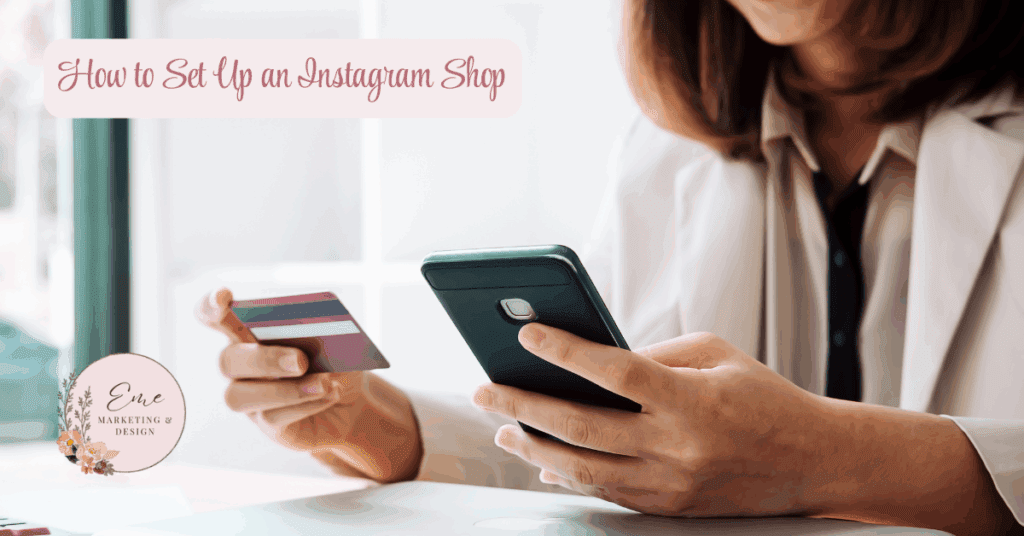
Instagram is no longer just a place to post selfies, vacation photos, and food shots. For businesses, it’s a powerful sales channel—one that can take a customer from discovering your product to checking out in just a few taps. That’s where Instagram Shop comes in.
An Instagram Shop allows you to showcase and sell products directly on your profile, making it easy for customers to browse, explore, and buy without ever leaving the app. Whether you’re a small boutique or a growing e-commerce brand, Instagram Shop can help turn your followers into loyal customers.
This guide walks you through why an Instagram Shop is worth your time and exactly how to set it up—step by step.
Why You Need an Instagram Shop
Before we get into the setup process, let’s talk about why having an Instagram Shop is a smart move for your business. The benefits go far beyond convenience.
1. Direct Access to a Large Audience
Instagram boasts over a billion active users. That’s a massive pool of potential customers, and many of them are already in a shopping mindset.
Why it matters:
- You’re placing your products where your audience is already spending time.
- It increases brand visibility and expands your reach beyond your existing followers.
Example: If you sell handmade candles, an Instagram Shop can put your products in front of people searching for “home décor” or “self-care” items—even if they’ve never heard of your brand before.
2. Seamless Shopping Experience
In traditional e-commerce, a customer might see your product on social media, click to your website, and then (hopefully) complete their purchase. Every extra step is an opportunity for them to drop off.
Instagram Shop keeps shoppers in-app from discovery to checkout.
Why it matters:
- Reduces friction in the buying process.
- Boosts conversion rates by eliminating extra clicks and page loads.
3. Enhanced Discoverability
With features like product tags, the Explore page, and the Shopping tab, Instagram makes it easy for users to find your products organically.
Why it matters:
- You’re not just selling to followers—you’re reaching shoppers actively searching for items like yours.
- Your products can appear alongside similar items, making you part of a larger buying journey.
4. Visual Storytelling
Instagram is a visual-first platform, which makes it perfect for showcasing products in action. You can use photos, Reels, Stories, and even live shopping sessions to bring your products to life.
Why it matters:
- Visual content captures attention faster than text alone.
- You can tell a story that builds an emotional connection with your audience.
Example: A clothing brand could post a Reel showing how one dress can be styled three different ways, tagging the product in each clip.
5. Built-In Social Proof
Nothing builds trust like seeing other people use and love your products. Instagram allows customers to tag your products in their own posts and Stories.
Why it matters:
- Acts as free word-of-mouth marketing.
- Encourages others to check out your shop based on peer recommendations.
6. Cost-Effective Marketing
You can promote products organically or through Instagram ads, targeting the exact demographics you want to reach.
Why it matters:
- More budget-friendly than traditional advertising.
- Easy to measure ROI through Instagram Insights.
7. Customizable Shopping Experience
Instagram lets you organize your shop into collections, highlight bestsellers, and feature seasonal promotions.
Why it matters:
- Gives your shop a curated, professional look.
- Allows you to guide customers toward your most profitable items.
8. E-Commerce Platform Integration
Instagram Shop integrates with platforms like Shopify, WooCommerce, and BigCommerce.
Why it matters:
- Automatically updates your inventory and product details.
- Saves time and reduces manual work.
9. Insights and Analytics
With Instagram’s built-in analytics, you can track how your products are performing.
Why it matters:
- Understand which products get the most clicks and conversions.
- Use data to fine-tune your marketing strategy.
10. Competitive Edge
Many businesses are already using Instagram Shop. If you’re not, you could be losing sales to competitors who are.
Why it matters:
- Keeps you relevant in a fast-changing market.
- Shows customers you’re up to date with modern shopping habits.
How to Set Up Your Instagram Shop: Step-by-Step
Now that you know why it’s important, let’s walk through the process of setting up your shop.
Step 1: Meet Eligibility Requirements
Before you start, make sure your business meets Instagram’s criteria:
- You sell physical goods that comply with Instagram’s commerce policies.
- Your business is located in a supported market.
- You have an Instagram Business or Creator account.
Pro tip: Double-check Instagram’s most up-to-date eligibility requirements at Meta’s Commerce Eligibility page.
Step 2: Switch to a Business or Creator Account
If you’re still using a personal account, switch over:
- Go to Settings > Account Type and Tools > Switch to Professional Account.
- Choose Business or Creator.
- Follow the prompts to complete setup.
Why it matters: A professional account unlocks features like Insights, advertising, and the ability to tag products.
Step 3: Set Up a Facebook Page
Instagram Shops require a linked Facebook Page.
- If you don’t have one, create one through Facebook.
- Link it in Settings > Linked Accounts.
Step 4: Create a Product Catalog in Commerce Manager
Your shop can’t run without a product catalog.
- Go to Facebook Commerce Manager.
- Click Add a Catalog.
- Choose how to add products:
- Manually: Add one product at a time.
- Data Feed: Upload a spreadsheet for bulk uploads.
- E-Commerce Platform Sync: Connect Shopify, WooCommerce, or similar.
- Manually: Add one product at a time.
Pro tip: Use high-quality images and keyword-rich descriptions to help products rank in searches.
Step 5: Submit Your Account for Review
Once your catalog is ready:
- Go to Settings > Business > Set Up Instagram Shopping.
- Follow the steps to submit your account.
- Approval can take a few days. Check your status in Settings > Shopping.
Step 6: Enable Instagram Shopping
After approval:
- Go to Settings > Business > Shopping.
- Select your product catalog.
- Tap Done to activate shopping.
Step 7: Add Product Tags to Posts and Stories
Product tags are the key to making content shoppable:
- Create a new post or story.
- Tap Tag Products and select from your catalog.
- Publish to make it live.
Example: If you post a lifestyle photo featuring three of your products, you can tag each one directly so customers can shop instantly.
Step 8: Customize Your Shop Layout
Make your shop inviting and brand-consistent:
- Go to Professional Dashboard > Edit Shop.
- Organize products into collections like “New Arrivals” or “Gifts Under $50.”
- Feature seasonal or promotional items at the top.
Step 9: Monitor Performance with Insights
Track your shop’s performance using Instagram Insights:
- See product clicks, saves, and purchases.
- Learn which posts drive the most sales.
- Use this data to tweak your marketing strategy.
Example: If a certain product is getting high clicks but low purchases, you might adjust the price or improve the product description.
Tips for Maximizing Instagram Shop Sales
Setting up your shop is just the start. To truly see results:
- Post consistently with a mix of lifestyle shots, product close-ups, and Reels.
- Use hashtags strategically to reach new audiences.
- Run Instagram ads targeting your ideal customer profile.
- Collaborate with influencers who align with your brand.
- Host live shopping events to engage customers in real time.
Final Thoughts
An Instagram Shop bridges the gap between social engagement and e-commerce. By making your products discoverable, easy to explore, and simple to purchase, you create a streamlined shopping experience that customers love.
The setup process is straightforward, and the potential payoff—increased sales, higher brand visibility, and a stronger connection with your audience—makes it well worth the effort.
If you start now, you could be making your first Instagram Shop sale by the end of the week.
Next Steps
How Eme Marketing & Design Can Help You Succeed
Now that you have actionable insights, it’s time to take your social media or digital marketing to the next level! At Eme Marketing & Design, we specialize in turning strategy into results with personalized marketing solutions tailored to your unique business needs.
Here are five reasons why you should partner with Eme Marketing & Design:
- Proven Expertise – With over 23 years of experience in marketing and design, we have the skills and knowledge to drive results for your business.
- Customized Strategies—We understand that every business is different, so we create tailored strategies to meet your specific goals.
- End–to–end service: From planning to execution, we handle all aspects of your digital marketing campaigns so you can focus on what matters most: running your business.
- Results-Driven Approach—We focus on delivering measurable results that grow your brand, build customer relationships and boost your bottom line.
- HIPAA-Compliant Marketing—We specialize in marketing for therapists, healthcare professionals and financial advisors, ensuring that your marketing efforts are effective and compliant with HIPAA regulations.
At Eme Marketing & Design, we offer a wide range of services, including:
- Social Media Management: We handle everything from content creation to daily engagement to keep your audience engaged.
- Pinterest Optimization & Strategy: Maximize your presence on Pinterest with our expert strategies designed to drive traffic and conversions.
- Google Ads Campaigns: Let us manage your paid advertising to increase visibility and generate leads.
- Custom Branding: From logo design to visual identity, we help you create a brand that stands out.
- Website Design & Development: Build a beautiful website optimized for conversions.
- Email Marketing: Stay in mind with email campaigns that nurture leads and drive sales.
- Sales Funnel Development: Build effective funnels that guide prospects from awareness to purchase.
Ready to get started? Contact Eme Marketing & Design today, and let’s work together to build your brand and grow your business!