
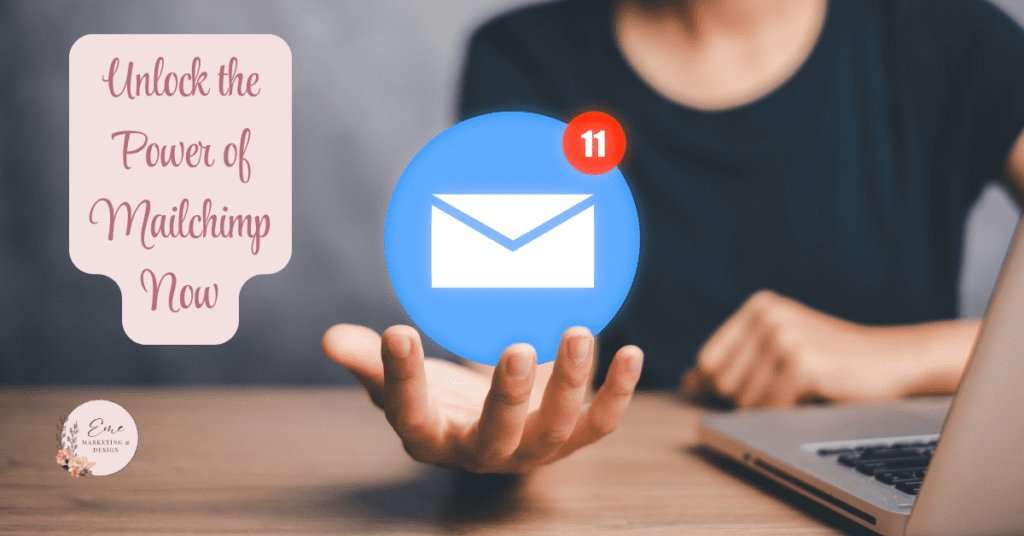
Mailchimp is renowned as one of the leading email marketing platforms, offering a robust suite of tools to help businesses of all sizes connect with their audiences. While its basic features—like creating email campaigns, managing lists, and tracking open rates—are widely used, Mailchimp’s advanced features can take your email marketing strategy to the next level. This blog explores these features and how to leverage them to maximize engagement, streamline processes, and achieve business growth.
1. Advanced Audience Segmentation
One of Mailchimp’s standout capabilities is its advanced audience segmentation, enabling you to target subscribers based on various attributes and behaviors. Beyond basic demographic data, you can create segments using:
- Purchase history: Target customers who have bought specific products.
- Engagement levels: Focus on highly engaged subscribers or re-engage inactive ones.
- Custom fields: Segment based on tailored information, such as preferences or event attendance.
- Behavior triggers: Create segments based on actions, like clicking on a particular link or abandoning a cart.
Use Case
A retail business can use advanced segmentation to send a tailored offer to customers who have purchased seasonal items but haven’t engaged in the last three months.
2. Dynamic Content
Dynamic content allows you to personalize emails within a single campaign by displaying different content blocks to different recipients based on conditions such as tags or segment data.
Examples of Dynamic Content Use
- Display specific product recommendations based on past purchases.
- Show location-specific event information.
- Tailor offers to loyalty program members versus non-members.
Benefits
Dynamic content saves time, reduces the need for multiple campaigns, and ensures subscribers receive highly relevant messages.
3. Customer Journey Builder
Mailchimp’s Customer Journey Builder takes automation to the next level. Instead of a single trigger-response automation, you can now design multi-step journeys based on complex workflows.
Key Features
- Decision splits: Guide users down different paths based on actions, such as making a purchase or not opening an email.
- Timed delays: Space out communications to prevent overwhelming your audience.
- Goal tracking: Set specific goals for each journey, such as driving a subscription or a product purchase.
Example Workflow
- A subscriber signs up for your newsletter.
- They receive a welcome email.
- If they click on a product link, they are sent a discount code.
- If no action is taken within a week, they receive a follow-up reminder.
4. Predictive Analytics
Mailchimp’s predictive analytics feature leverages machine learning to forecast customer behaviors, such as lifetime value (CLV) and purchase likelihood.
How to Use Predictive Analytics
- Identify high-value customers and allocate marketing resources accordingly.
- Focus retention efforts on customers with high CLV predictions.
- Send targeted offers to those most likely to make repeat purchases.
This feature is particularly useful for e-commerce businesses looking to prioritize customer retention and maximize ROI.
5. A/B Testing (Multivariate Testing)
While most email marketing platforms offer basic A/B testing, Mailchimp’s advanced testing capabilities allow you to test multiple variables simultaneously.
What You Can Test
- Subject lines
- Send times
- Email designs
- Call-to-action buttons
- Personalization strategies
Benefits
By testing several elements at once, you can determine the optimal combination that resonates with your audience, leading to higher engagement and conversions.
6. Advanced Reporting and Analytics
Mailchimp provides detailed insights beyond open and click-through rates. Its advanced analytics include:
- Heatmaps: See where users click most frequently within your emails.
- ROI tracking: Measure the revenue generated from each campaign.
- Comparative reporting: Analyze performance trends across multiple campaigns or audiences.
- E-commerce tracking: Understand how email drives purchases on your site.
Example
A SaaS company can use comparative reporting to identify which email format—plain text vs. graphic-heavy—yields higher subscription rates.
7. Tags and Groups
Tags and groups offer nuanced ways to organize and target your audience. While tags are used for ad-hoc categorization, groups allow subscribers to self-select their preferences.
Applications
- Tags: Add a “VIP” tag to customers who spend above a certain amount.
- Groups: Let subscribers choose their content preferences, such as newsletters or promotions.
By combining tags and groups, you can execute precise targeting without overwhelming subscribers with irrelevant content.
8. Integrations and API
Mailchimp’s integrations and API capabilities make it easy to connect with other tools in your marketing stack.
Popular Integrations
- Shopify/WooCommerce: Sync your store’s data for targeted email campaigns.
- CRM systems (e.g., Salesforce): Align email marketing with your customer relationship management efforts.
- Social media ads: Use Mailchimp to create and manage Facebook and Instagram ads alongside your email campaigns.
API for Developers
Developers can use Mailchimp’s API to create custom solutions, such as syncing customer data from a proprietary app or automating data imports.
9. Send Time Optimization
Mailchimp uses AI to predict the optimal time to send your emails based on past engagement patterns. This feature ensures your emails land in inboxes when subscribers are most likely to open them.
Use Case
A fitness studio can schedule class reminders to hit inboxes during early morning hours when clients are planning their day.
10. Retargeting Ads
Mailchimp isn’t just for emails; it also supports retargeting ads on platforms like Google, Facebook, and Instagram.
Benefits
- Re-engage users who have interacted with your emails or visited your site.
- Create lookalike audiences based on your highest-performing customers.
- Reinforce email campaigns with consistent messaging across multiple channels.
11. Transactional Email
For businesses needing to send order confirmations, password resets, or shipping updates, Mailchimp offers transactional email capabilities through its Mandrill add-on.
Why Use Transactional Email
- Deliver essential, time-sensitive messages.
- Personalize confirmations with dynamic product details.
- Maintain brand consistency with custom templates.
12. Pop-Up Forms and Landing Pages
Mailchimp provides tools to capture leads through pop-up forms and landing pages, which integrate seamlessly with your email campaigns.
Key Features
- Templates: Pre-designed, mobile-responsive options.
- Custom domains: Use branded URLs for your landing pages.
- A/B testing: Optimize form or landing page performance.
This feature is ideal for launching lead magnets, event signups, or limited-time promotions.
13. Content Studio
Mailchimp’s Content Studio centralizes all your marketing assets, making it easy to store, organize, and reuse images, logos, and brand files.
Advanced Capabilities
- Searchable tags: Quickly find assets using custom labels.
- Product images: Automatically sync product photos from your e-commerce store.
- Campaign syncing: Keep track of which assets have been used in specific campaigns.
14. Mailchimp Pro
Mailchimp Pro is an add-on that unlocks premium features like:
- Compliance insights: Identify and address potential deliverability issues before sending.
- Priority support: Access faster customer service response times.
- Advanced segmentation: Create even more precise audience groups.
This upgrade is a must-have for businesses managing large-scale email campaigns.
15. Mailchimp Mobile App
Mailchimp’s mobile app enables you to manage campaigns, view analytics, and track performance on the go.
Benefits
- Respond to subscriber activity in real-time.
- Make last-minute adjustments to campaigns.
- Monitor campaign performance during launches.
The app ensures you stay connected to your email marketing efforts, no matter where you are.
16. Audience Growth and Optimization Tools
Mailchimp helps you grow your audience with features like:
- Predicted demographics: Understand your audience’s age and gender profiles.
- Pop-up form integrations: Capture leads directly from your website.
- Social media ads: Run campaigns to grow your email list.
Pro Tip
Use Mailchimp’s embedded forms to streamline newsletter signups on your website.
Final Thoughts
Mailchimp’s advanced features go far beyond sending newsletters. From dynamic content and predictive analytics to retargeting ads and customer journey automation, these tools empower you to create personalized, impactful campaigns. By leveraging Mailchimp’s capabilities, you can enhance audience engagement, drive conversions, and achieve your marketing goals more efficiently.
Whether you’re a small business owner or part of a large marketing team, Mailchimp’s advanced features provide the flexibility and power to adapt to your unique needs. Explore these tools, experiment with integrations, and unlock the full potential of email marketing.
Next Steps
Get started with Mailchimp today!
This blog contains affiliate links. If you purchase through these links, I may earn a commission at no additional cost.
How Eme Marketing & Design Can Help You Succeed
Now that you have actionable insights, it’s time to take your social media or digital marketing to the next level! At Eme Marketing & Design, we specialize in turning strategy into results with personalized marketing solutions tailored to your unique business needs.
Here are five reasons why you should partner with Eme Marketing & Design:
- Proven Expertise – With over 23 years of experience in marketing and design, we have the skills and knowledge to drive results for your business.
- Customized Strategies – We understand that every business is different. That’s why we create tailored strategies to meet your specific goals.
- End-to-End Service – From planning to execution, we handle all aspects of your digital marketing campaigns so you can focus on what matters most: running your business.
- Results-Driven Approach—We focus on delivering measurable results that grow your brand, build customer relationships and boost your bottom line.
- HIPAA-Compliant Marketing—We specialize in marketing for therapists, healthcare professionals and financial advisors, ensuring that your marketing efforts are effective and compliant with HIPAA regulations.
At Eme Marketing & Design, we offer a wide range of services, including:
- Social Media Management: We handle everything from content creation to daily engagement to keep your audience engaged.
- Pinterest Optimization & Strategy: Maximize your presence on Pinterest with our expert strategies designed to drive traffic and conversions.
- Google Ads Campaigns: Let us manage your paid advertising to increase visibility and generate leads.
- Custom Branding: From logo design to visual identity, we help you create a brand that stands out.
- Website Design & Development: Build a beautiful website optimized for conversions.
- Email Marketing: Stay in mind with email campaigns that nurture leads and drive sales.
- Sales Funnel Development: Build effective funnels that guide prospects from awareness to purchase.
Ready to get started? Contact Eme Marketing & Design today, and let’s work together to build your brand and grow your business!
Have you heard about Moments That Matter?
Discover the power of thoughtful outreach with Moments That Matter. Our tailored messages are designed to make each recipient feel uniquely valued, turning ordinary moments into memorable experiences. Whether you’re looking to strengthen client relationships or foster new connections, our personalized approach ensures that every interaction is impactful and genuine. Let us help you make every moment count and boost your online reputation!